Configuring OpenClaw for FoloToy Toys
Prerequisites
Please deploy OpenClaw first and make sure it is running properly. Deployment guides:
Before binding OpenClaw, please add your FoloToy toy to the "FoloToy AI 玩具" mini program.
The commands below must be executed in the terminal of the environment where OpenClaw is running.
Installation Steps
1. Install the official FoloToy plugin
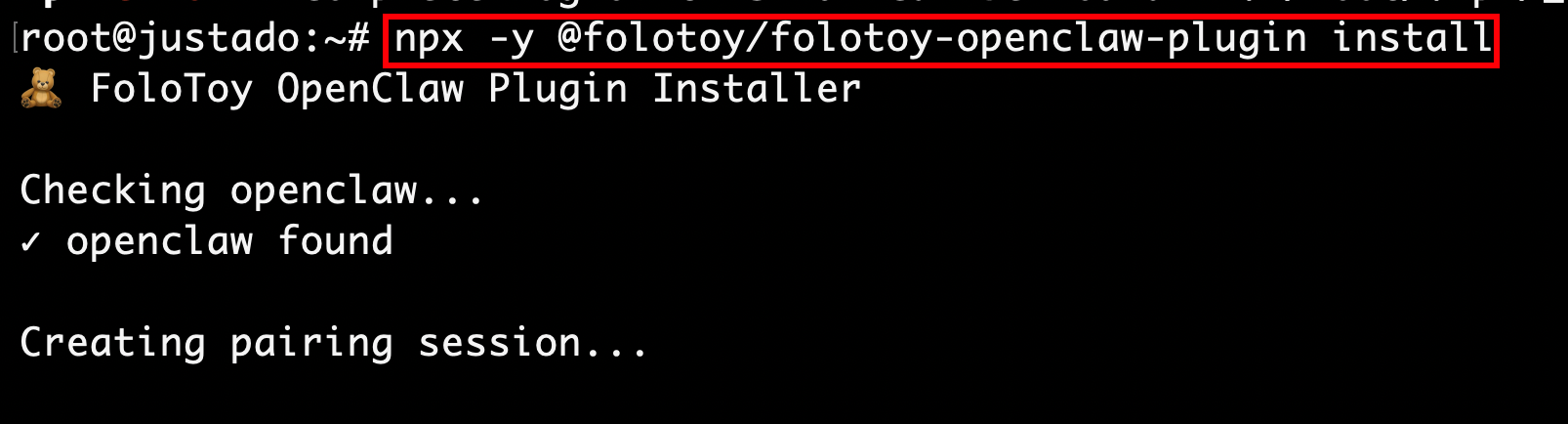
Enter the following command in the terminal and press Enter:
npx -y @folotoy/folotoy-openclaw-plugin install
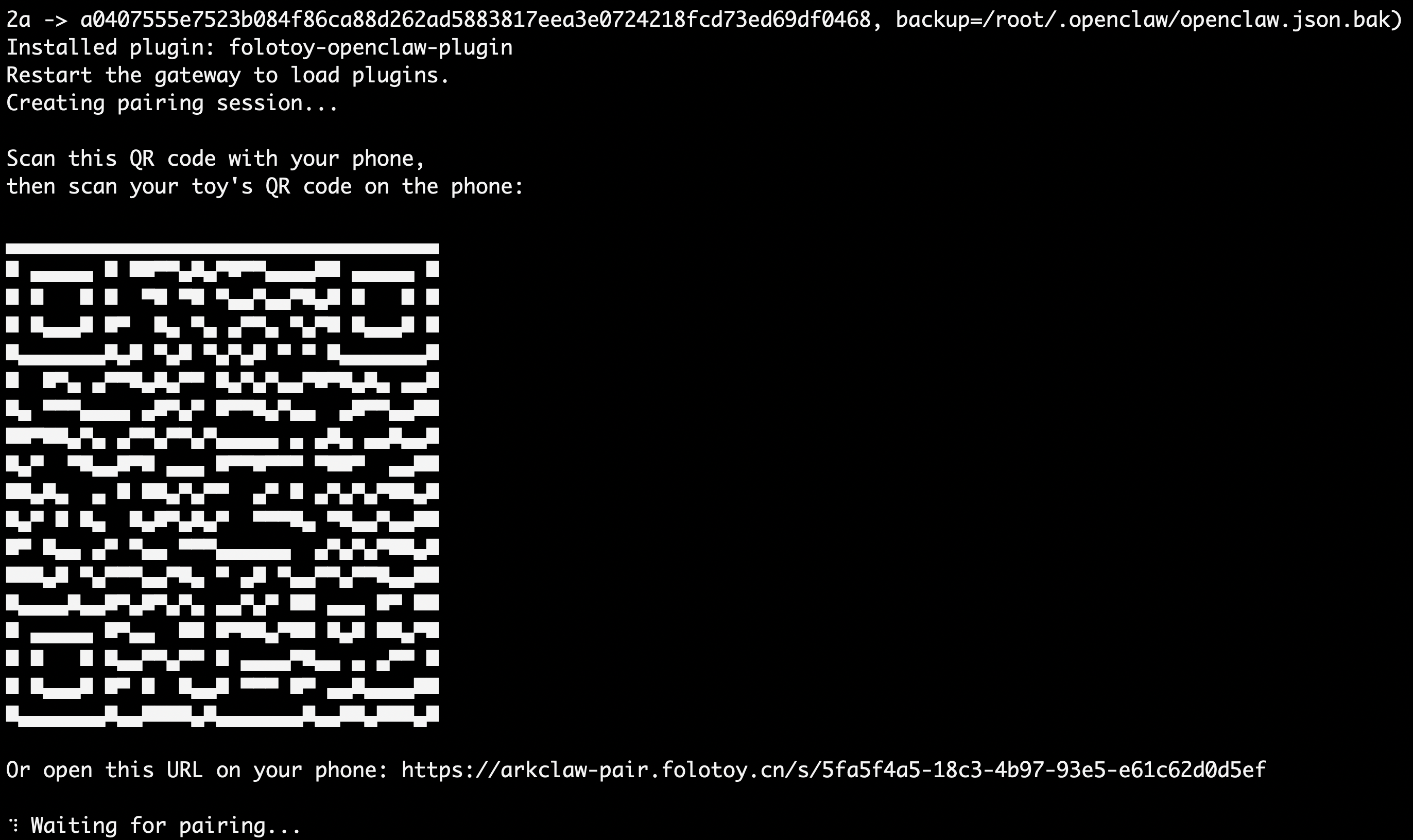
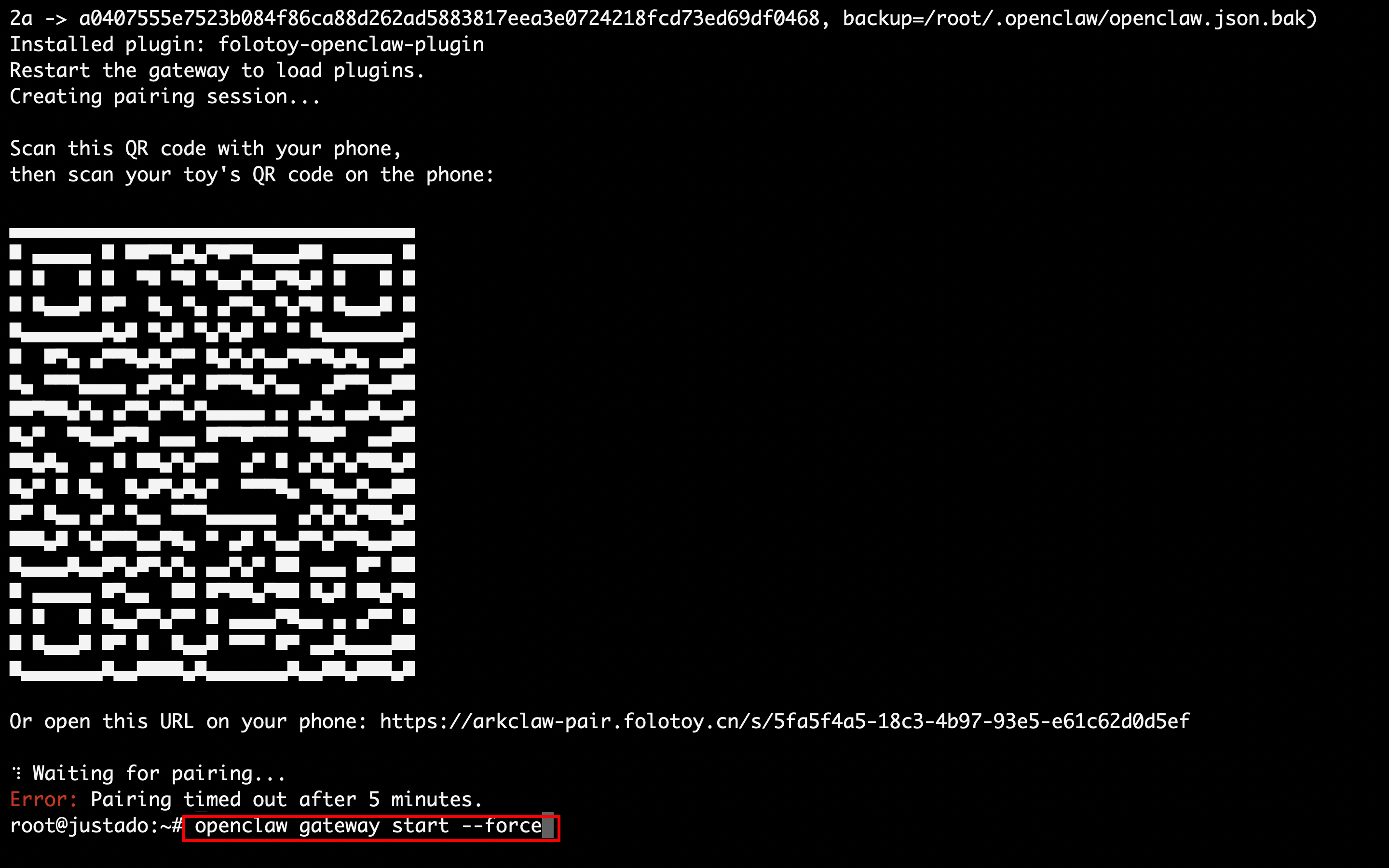
2. Wait for the QR code to appear in the terminal
The QR code is valid for 5 minutes. Please complete the binding within 5 minutes. If the QR code expires, rerun the installation command above.
3. Bind your FoloToy toy to OpenClaw
Before binding to OpenClaw, please bind the FoloToy toy to the mini program first.
Go to Role Details → More Settings → Bind OpenClaw → Scan QR Code. See the screenshot below:
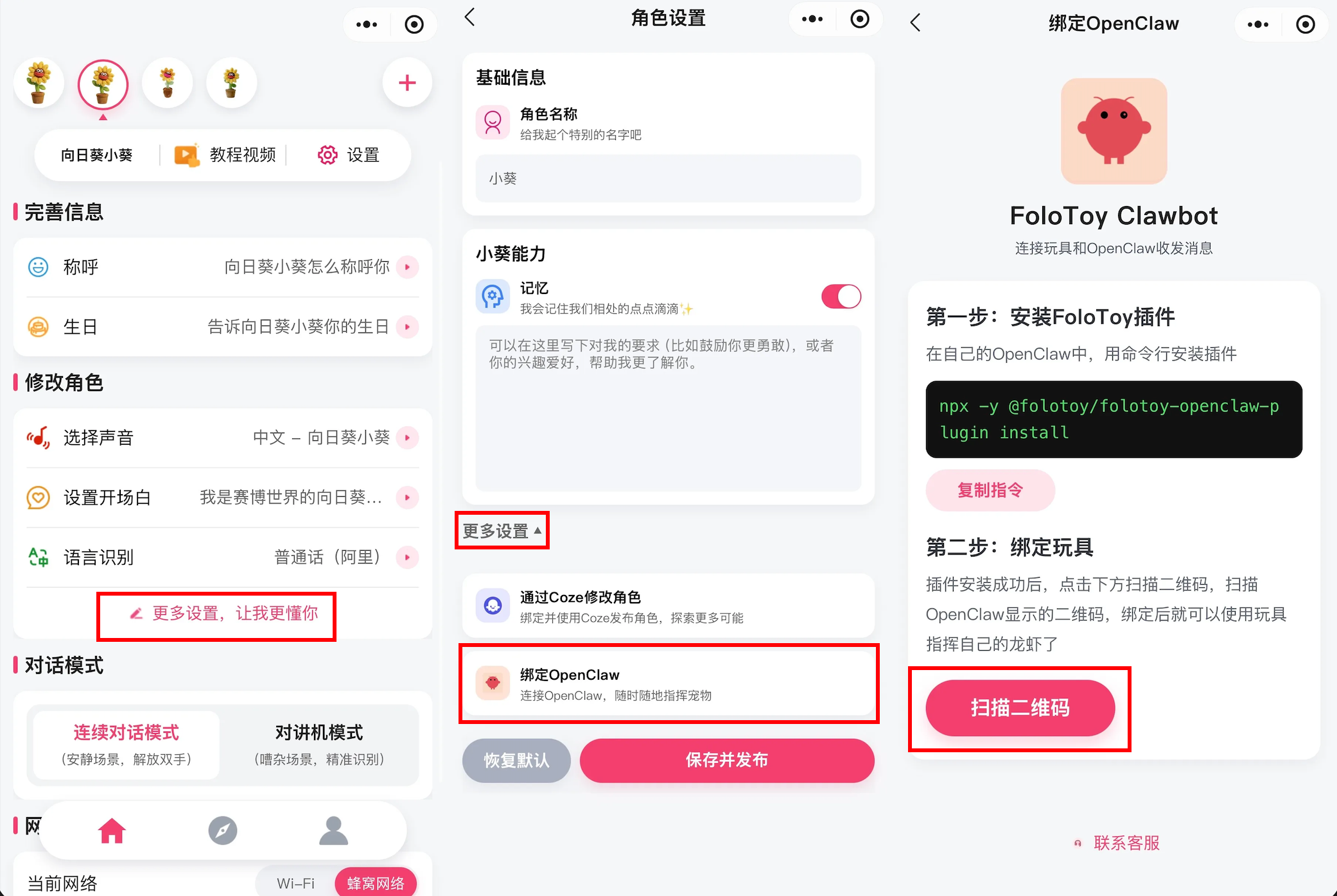
Tap "Scan QR Code" in the mini program and scan the QR code shown in the terminal (see screenshot in step 2).
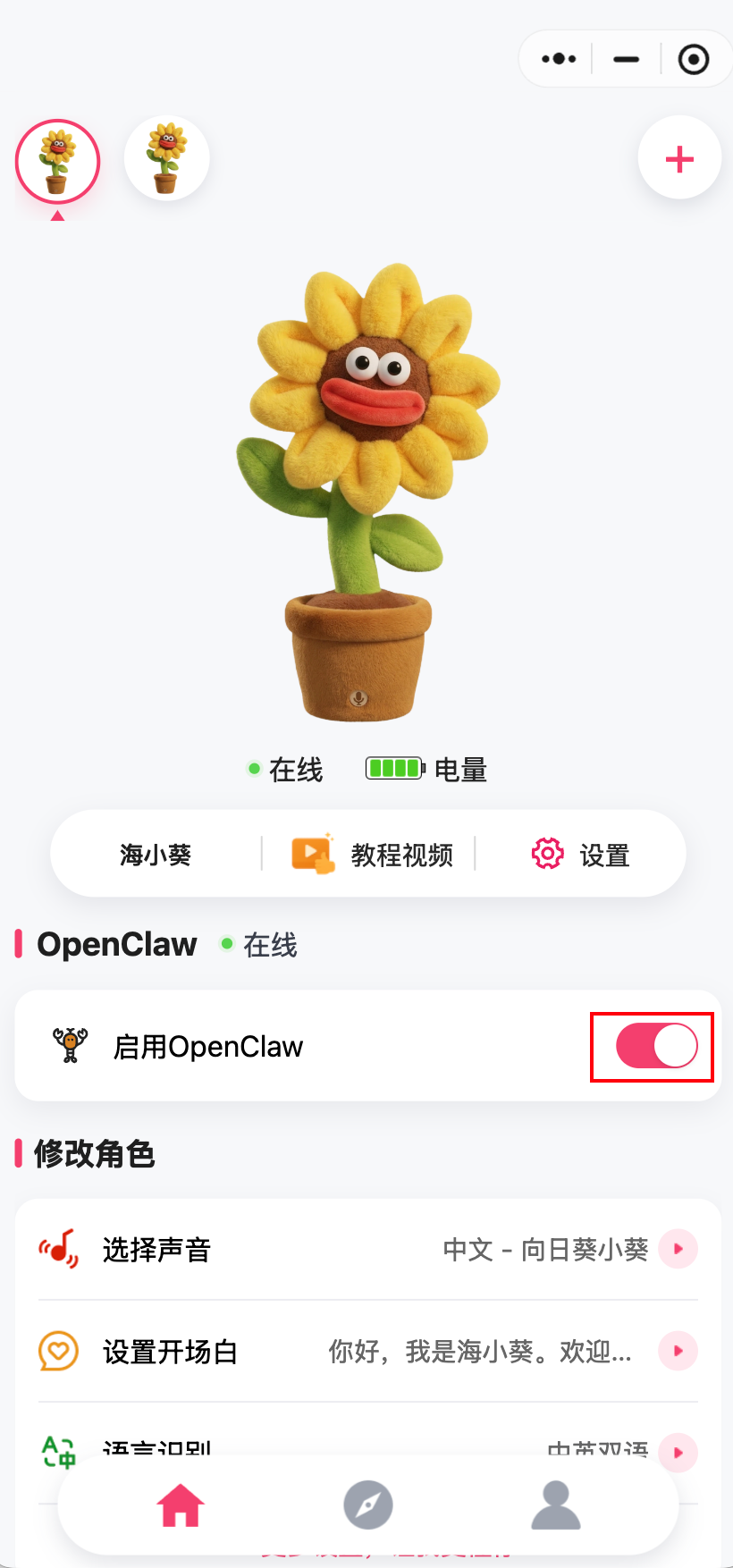
Wait for the success message. Once bound, the toy will automatically return to the home page, where you will see the OpenClaw online / enabled status.
4. Restart OpenClaw
After binding, the OpenClaw client will restart automatically. If it does not, run the following command in the terminal to restart OpenClaw. Once restarted, you can start using it.
openclaw gateway start --force
FAQ
1. How do I unbind a toy from OpenClaw?
Disable OpenClaw in the mini program.
2. How many FoloToy toys can a single plugin bind?
Each plugin can only bind one FoloToy toy. If you bind multiple toys in sequence, the latest one will replace the previous binding.
3. How do I uninstall the FoloToy OpenClaw plugin?
Enter the following command in the terminal to uninstall the plugin:
openclaw plugins uninstall folotoy-openclaw-plugin
If you encounter configuration errors, run the following command in the terminal to clean up the folotoy plugin configuration:
curl https://raw.githubusercontent.com/FoloToy/folotoy-openclaw-plugin/refs/heads/main/scripts/clean-config.py | python3 -
4. What is the maximum number of toys a FoloToy OpenClaw plugin can bind?
Each OpenClaw Agent can bind a maximum of 1 toy.
5. How do I open the FoloToy mini program?
Scan the QR code below with WeChat to open the mini program:
Use OpenClaw as the LLM in a self-hosted folotoy-server
OpenClaw also provides an OpenAI-compatible HTTP API. See the official documentation: OpenAI HTTP API.
This means that if you are running a self-hosted folotoy-server, you can use OpenClaw's OpenAI-compatible endpoint directly as your LLM backend, without integrating any additional large model service.
In your folotoy-server role configuration, configure it as an OpenAI LLM, and point base_url to your OpenClaw OpenAI-compatible endpoint. Fill in api_key and model according to the OpenClaw documentation.